iOS MVVM Architecture: A Clean Swift Development Pattern
Learn about iOS MVVM architecture, its benefits, and how to implement it in Swift for clean and maintainable code. See practical examples and tips.

Share This Article
Introduction
As iOS development becomes more complex, adopting design patterns like the Model-View-ViewModel (MVVM) architecture has become essential for maintaining clean and scalable code. In this article, we explore the iOS MVVM architecture, its key components, and how to implement it in Swift for a clean and efficient app development process.
What is MVVM Architecture in iOS?
MVVM (Model-View-ViewModel) is a design pattern that separates the UI (View) from the business logic (Model) through a ViewModel. This approach promotes better code organization, maintainability, and testability.
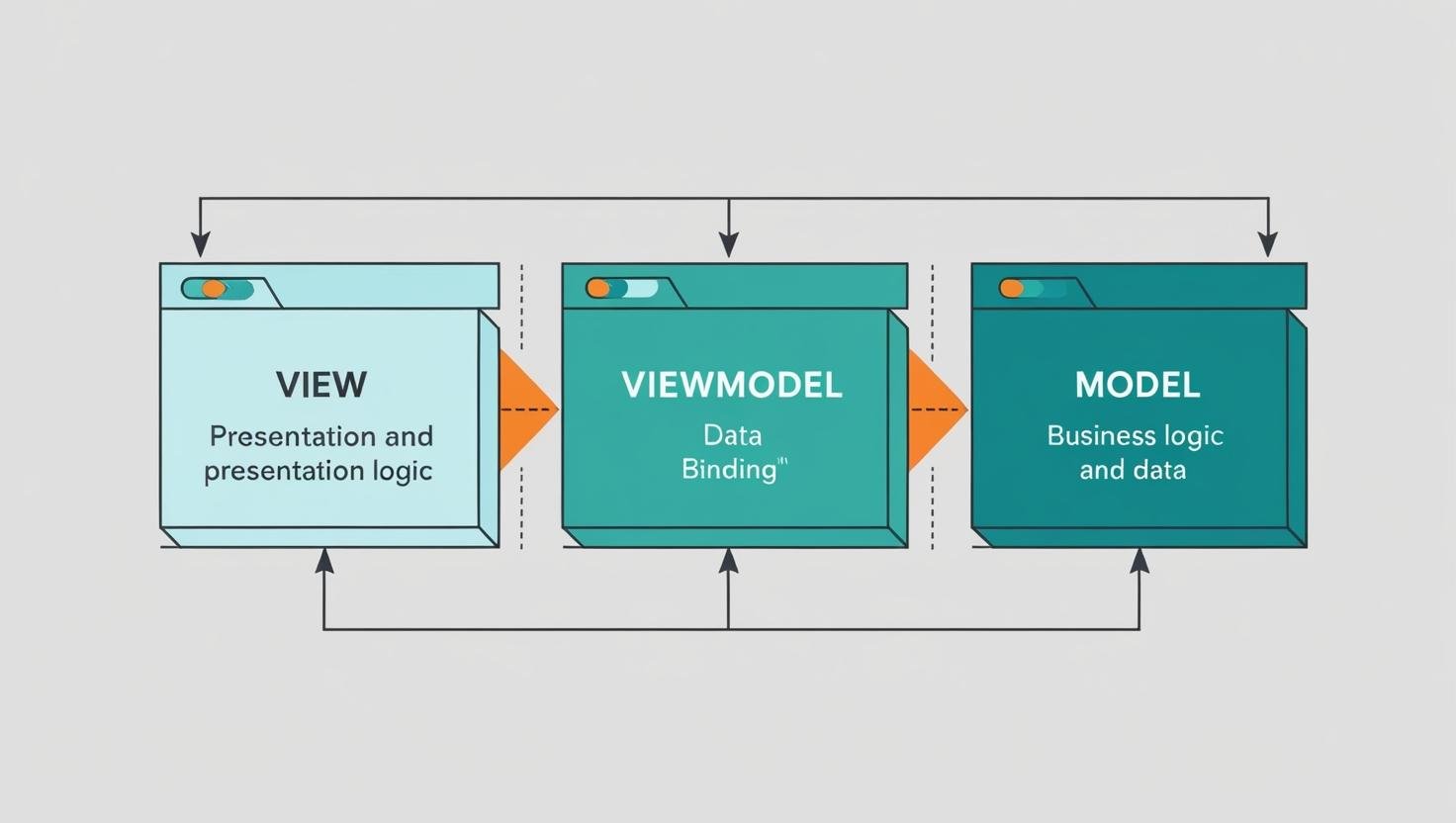
Core Components of MVVM
- Model: Handles data and business logic, typically by fetching data from APIs or local storage.
- View: Responsible for displaying the user interface and receiving user interactions.
- ViewModel: Acts as a bridge between the Model and View, binding data and handling logic for the View.

Benefits of Using MVVM in iOS
- Enhanced Code Maintainability: Clear separation of concerns makes code easier to maintain.
- Improved Testability: Easier to write unit tests for business logic.
- Reusable View Logic: ViewModels can be reused across different views.
- Reactive Programming: Easily integrates with libraries like Combine or RxSwift for reactive data binding.
How to Implement MVVM Architecture in iOS with Swift
1. Create Model
struct User: Codable {
    let id: Int
    let name: String
    let email: String
}
2. Set Up ViewModel
class UserViewModel: ObservableObject {
    @Published var users: [User] = []

    func fetchUsers() {
        // Mock data fetching
        self.users = [
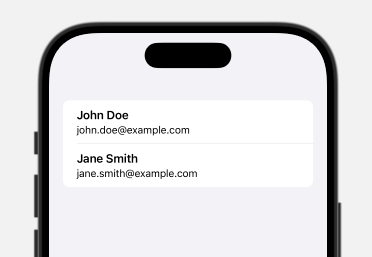
            User(id: 1, name: "John Doe", email: "john.doe@example.com"),
            User(id: 2, name: "Jane Smith", email: "jane.smith@example.com")
        ]
    }
}
3. Implement View in SwiftUI
struct ContentView: View {
    @ObservedObject var viewModel = UserViewModel()

    var body: some View {
        List(viewModel.users) { user in
            VStack(alignment: .leading) {
                Text(user.name)
                    .font(.headline)
                Text(user.email)
                    .font(.subheadline)
            }
        }
        .onAppear {
            viewModel.fetchUsers()
        }
    }
}
Best Practices for Clean iOS MVVM Architecture
- Use Protocols: Decouple ViewModels from specific data sources using protocols.
- Leverage Combine: Use Apple's Combine framework for reactive data binding.
- Keep ViewModels Lightweight: Avoid business logic in ViewModels; delegate it to Models or services.
- Testing: Write unit tests for ViewModels to ensure the correctness of logic.

Author Info
Bhumika Patel
Senior iOS Developer & Educator
Bhumika Patel is a senior iOS developer with over 4+ years of experience building successful applications for companies like Apple and Google.
Frequently Asked Questions
Find answers to common questions about the topic.
MVVM is a design pattern that separates the UI, business logic, and data handling through Model, View, and ViewModel components for better maintainability and scalability.
MVVM offers a cleaner separation of concerns, better testability, and improved data binding compared to MVC, where the ViewController often becomes overloaded with logic.
The ViewModel handles the logic required for the View and binds data, while the Model focuses on data management and business logic.
Yes, MVVM can be implemented in both UIKit and SwiftUI applications.
Libraries like Combine and RxSwift are popular for managing reactive data binding in MVVM architecture.
Related Articles
Continue your iOS development journey with these related articles.